Overview
DevCollab is a developer collaboration platform that combines GitHub-style technical content (code snippets with syntax highlighting, Markdown posts) with Discord-style workspace organization. Built as the centerpiece of my portfolio, it demonstrates production-ready full-stack engineering across seven phases of development.
v2.0
Production Ready
7
Feature Phases
3
Demo Roles
Features delivered:
- Workspace-scoped RBAC (Admin / Contributor / Viewer)
- Code snippets with Shiki syntax highlighting (20 languages)
- Markdown posts with react-markdown rendering and Shiki server-side syntax highlighting
- Threaded discussions with @mention notifications
- Emoji reactions (thumbs up, heart, plus one, laugh)
- Real-time activity feed with cursor pagination
- Full-text search via Postgres tsvector (Cmd+K modal)
- Bell icon with unread badge and 60s notification polling
Problem
Developer teams share code snippets and technical knowledge in scattered tools — GitHub Gists, Notion, Slack threads — with no unified workspace and no search across all content types. The challenge: build a cohesive platform that feels native to developers while demonstrating the full breadth of senior full-stack skills in a single deployed application.
- Code + prose in one place: Snippets need syntax highlighting and language selection; posts need rich Markdown rendering — different content types with different requirements.
- Workspace isolation: Teams must be hermetically isolated. Invites, role assignment, and content visibility must all be workspace-scoped.
- Search that works: Keyword search across snippets, posts, and titles without adding a second search service to the infrastructure.
- Recruiter demo UX: A recruiter visiting the live demo must immediately see realistic content, not an empty state.
Architecture
DevCollab lives inside the same Turborepo monorepo as TeamFlow, sharing infrastructure tooling while maintaining complete isolation at the application level.
Browser (Next.js 15 Client)
↓ HTTP (Cmd+K search, reactions, notifications)
devcollab-web — Next.js 15 App Router (port 3002)
↓ REST API (httpOnly cookie auth)
devcollab-api — NestJS 11 (port 3003)
↓ Prisma ORM
devcollab-postgres — Postgres 16 (port 5435)
tsvector GIN indexes (FTS)
Monorepo Structure:
apps/devcollab-web— Next.js 15 frontend with App Router and Server Componentsapps/devcollab-api— NestJS 11 with CASL deny-by-default guardpackages/devcollab-database— Isolated Prisma schema and generated client
Client isolation pattern:
The Prisma client outputs to node_modules/.prisma/devcollab-client — a completely separate path from TeamFlow's @prisma/client. Both apps can coexist in the same monorepo without client collision.
Key Technical Decisions
| Decision | Rationale |
|---|---|
| Postgres tsvector over Meilisearch for full-text search | Zero additional Docker service. Adequate at portfolio scale. The trigger pattern (not GENERATED ALWAYS AS) eliminates Prisma migration drift — a well-known pitfall. ts_headline() provides highlighted results for free. |
| react-markdown over a rich text editor for Markdown rendering | Posts are stored as Markdown strings and rendered server-side. react-markdown with remark-gfm provides full GitHub Flavored Markdown support without client bundle cost. Shiki handles code blocks server-side via a singleton lazy-initialized highlighter — zero client JS for syntax highlighting on published post views. |
| Dedicated migrate Docker service vs. migrate-on-start | Running prisma migrate deploy inside the API container causes race conditions when multiple replicas start simultaneously. A separate one-shot service with service_completed_successfully dependency guarantees exactly-once migration execution. |
| CASL deny-by-default guard as APP_GUARD | Installed before any feature controllers existed. Every new endpoint starts locked until explicitly granted. Eliminates the "forgot to add auth" class of security bugs at the architectural level. |
| Shiki server-side for published posts vs. client highlight | MarkdownRenderer is a Server Component. Shiki runs server-side via a singleton lazy-initialized highlighter. Zero client JS for code highlighting on published post views — improves performance and demonstrates SSR depth. |
Challenges & Solutions
Challenge 1: Prisma Migration Drift with tsvector
Using GENERATED ALWAYS AS on Prisma schema fields causes the migration engine to regenerate the column definition on every prisma migrate dev run, producing drift warnings that would corrupt the migration history on a team.
Solution: Store the tsvector column definition in a raw trigger function (not in the Prisma schema). The trigger maintains the column; Prisma simply ignores it. GIN indexes live in manual migration SQL. Verified with a x3 migrate dev ritual — zero drift on all three runs.
Learned: Postgres-specific features (tsvector, GIN) belong in manual migration SQL when using Prisma. The Prisma schema should only contain what Prisma natively understands.
Challenge 2: CASL Guard with Workspace-Scoped Routes
The deny-by-default CaslAuthGuard needs to extract the workspace slug from the request URL to build the correct CASL ability. Routes without a slug (like /health, /auth/login) must bypass the workspace-scoped check.
Solution: The guard extracts :slug from request.params. If slug is absent, it falls through to the service layer for authorization. Workspace-scoped routes always include the slug as the first path segment: /workspaces/:slug/snippets.
Learned: Route design choices (slug in path vs. header) have downstream effects on the entire auth architecture. Making the decision early (Phase 14) kept all subsequent controllers consistent.
Challenge 3: Next.js Server Components and httpOnly Cookie Forwarding
Server Components cannot use credentials: 'include' for cross-origin fetches — the browser is not involved in SSR. Cookies must be forwarded manually from the incoming request to the outgoing API call.
Solution: Server Components use next/headers cookies() to read the current request cookies and forward them in the Authorization or Cookie header of the API fetch. Client Components use credentials: 'include' as usual.
Learned: SSR authentication requires explicit cookie forwarding. The Next.js 15 App Router pattern is different enough from Pages Router that it warrants its own mental model.
App Walkthrough
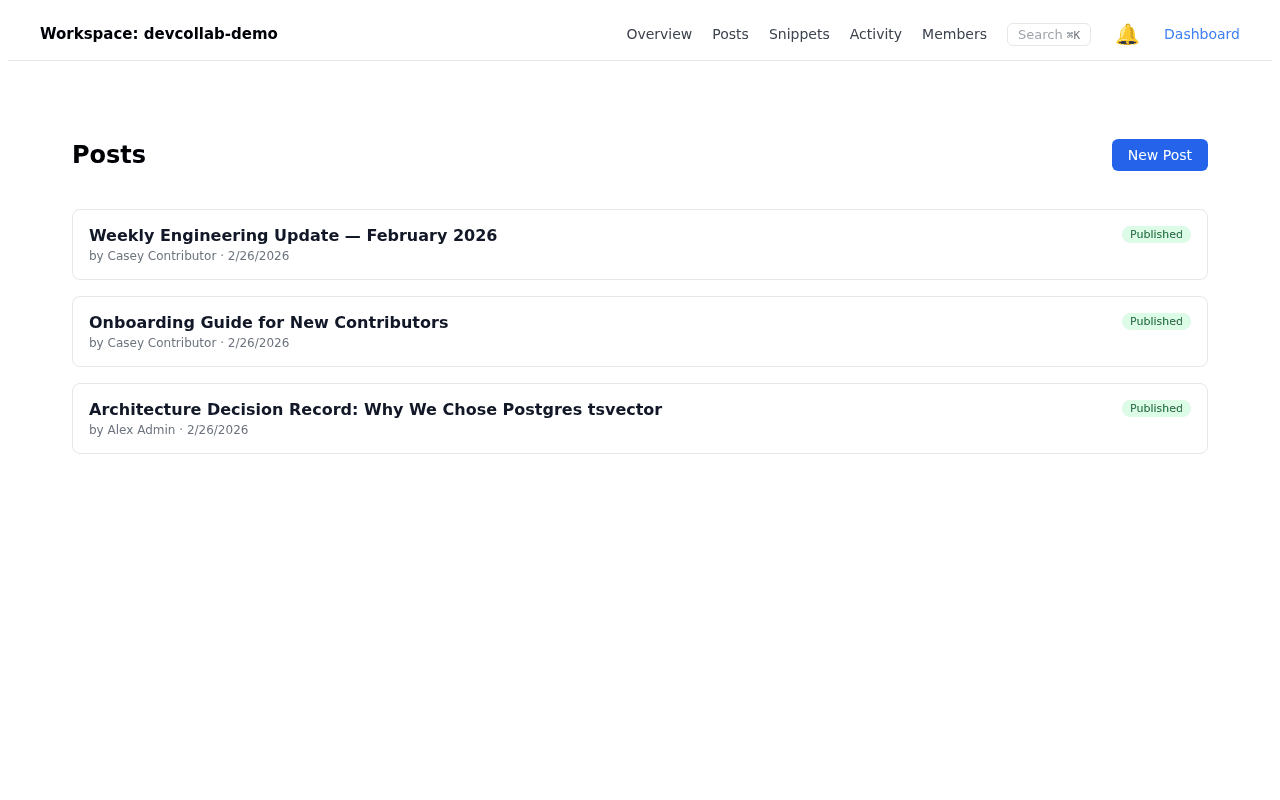
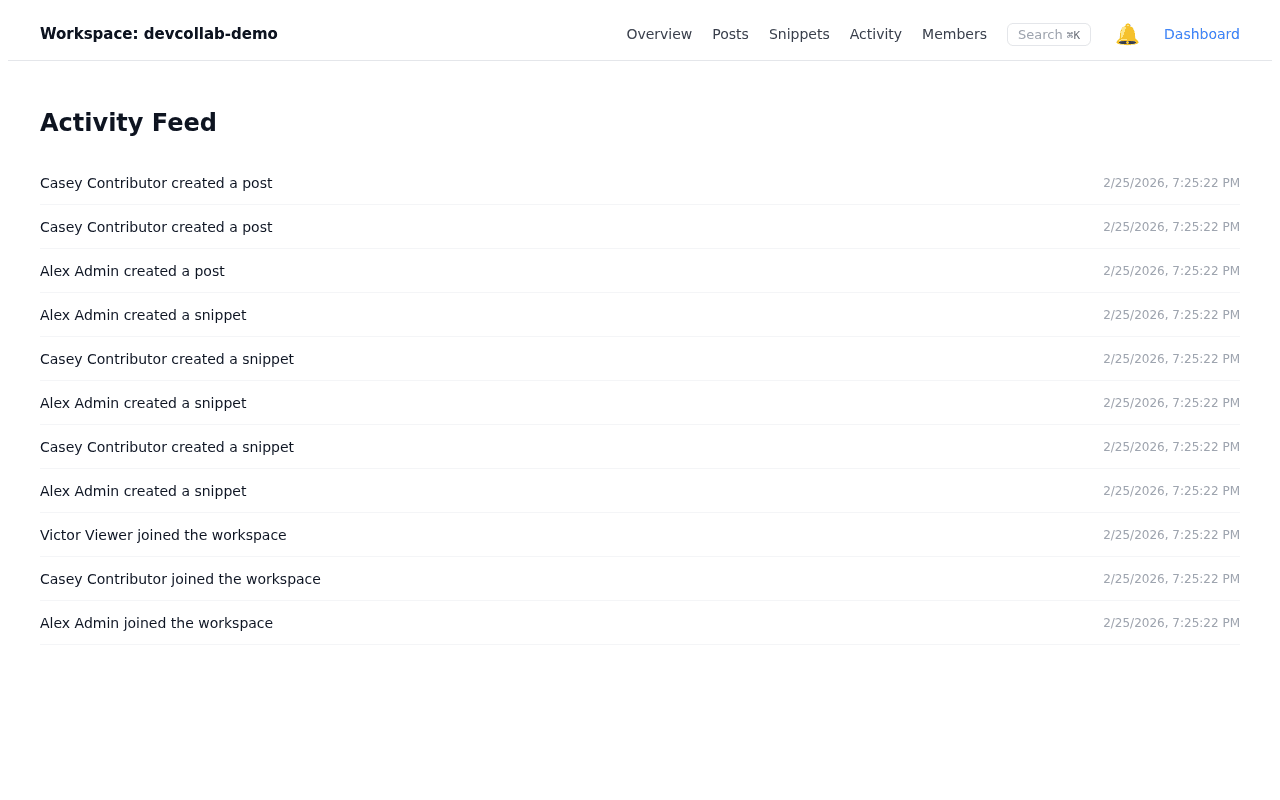
Activity FeedThe central feed surfaces messages, code snippets, and posts in reverse-chronological order.
Workspace PostsLong-form posts let developers share context and decisions that outlast chat messages.
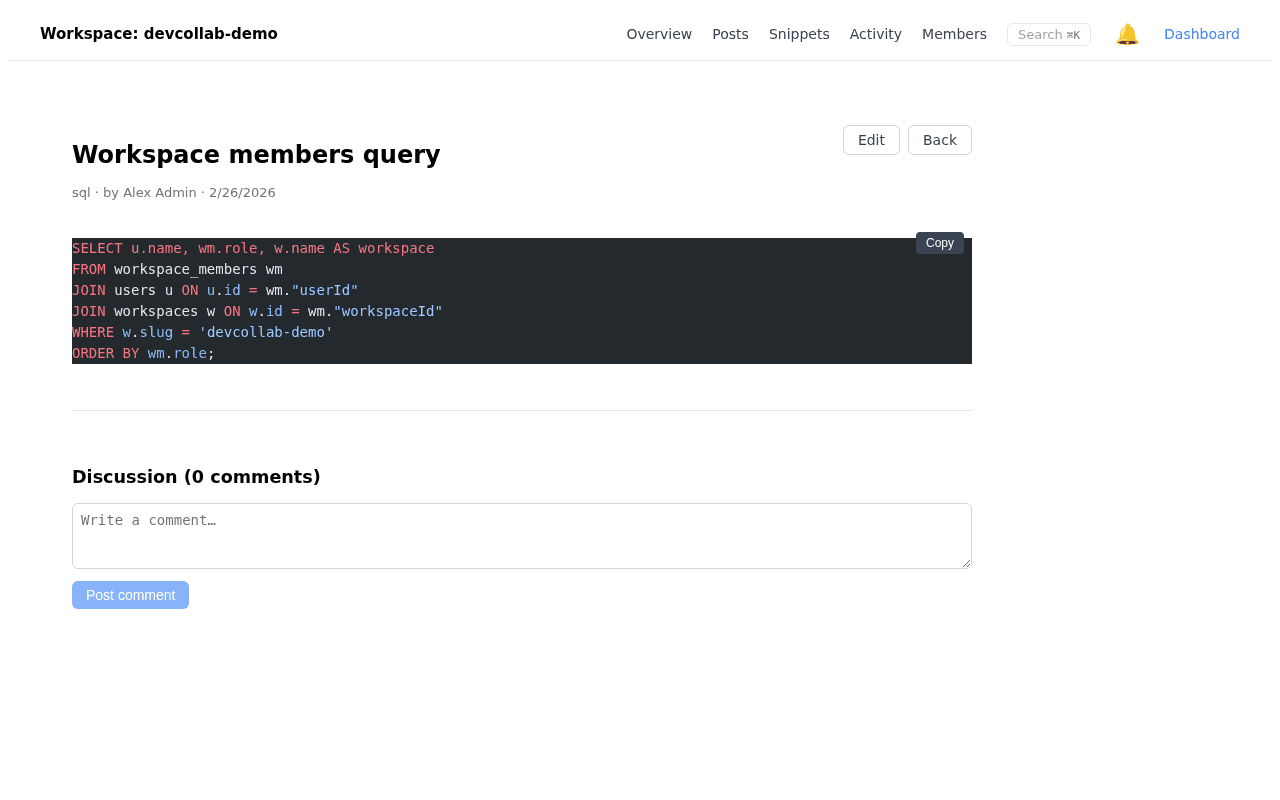
Shiki HighlightingShiki renders server-side syntax highlighting so code is readable without client JavaScript.
Language BadgeA language badge above the block sets reader expectations before they scan the code.
Code ContentColor-coded tokens map to semantic meaning, making logic and types immediately distinguishable.
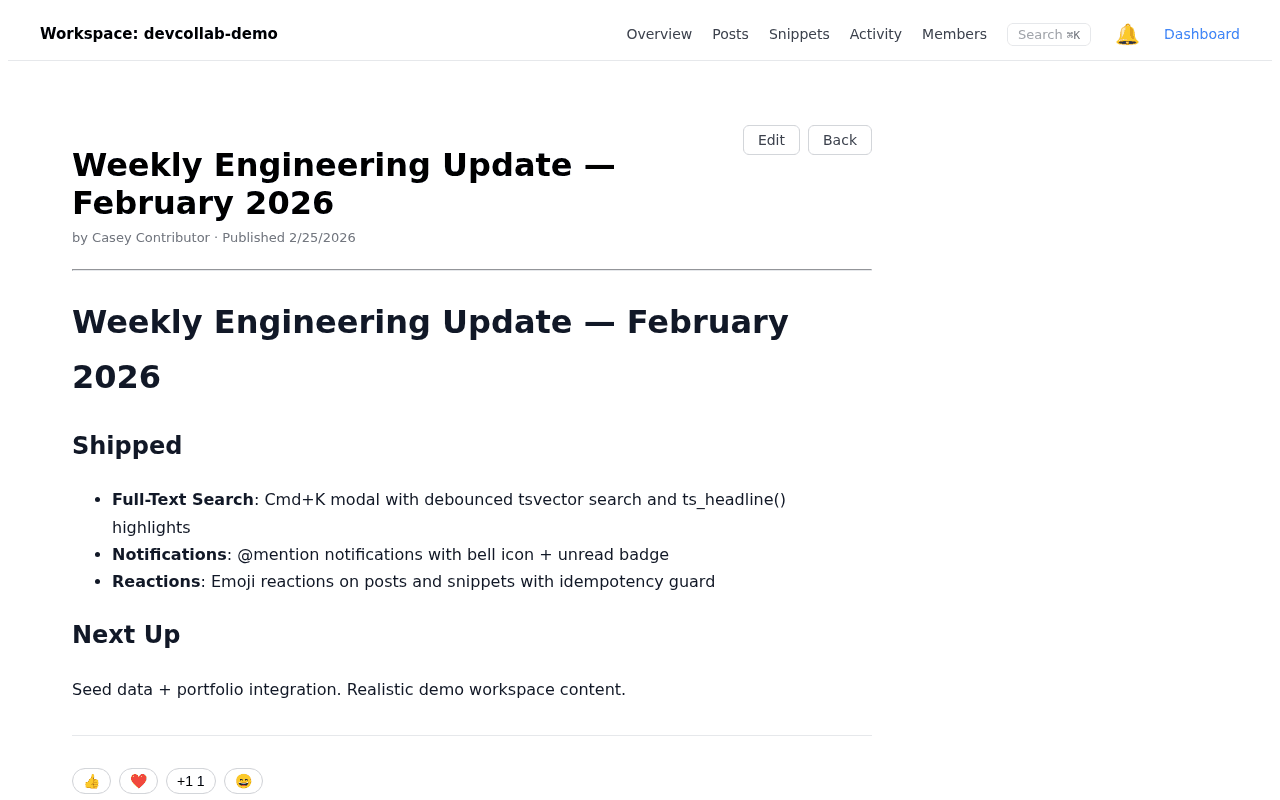
Reply ChainThreaded replies keep conversations focused without polluting the main workspace feed.
@Mention Highlight@Mentions are visually highlighted so referenced teammates notice them instantly.
Thread DepthVisual indentation signals reply depth, making long discussions easy to follow.
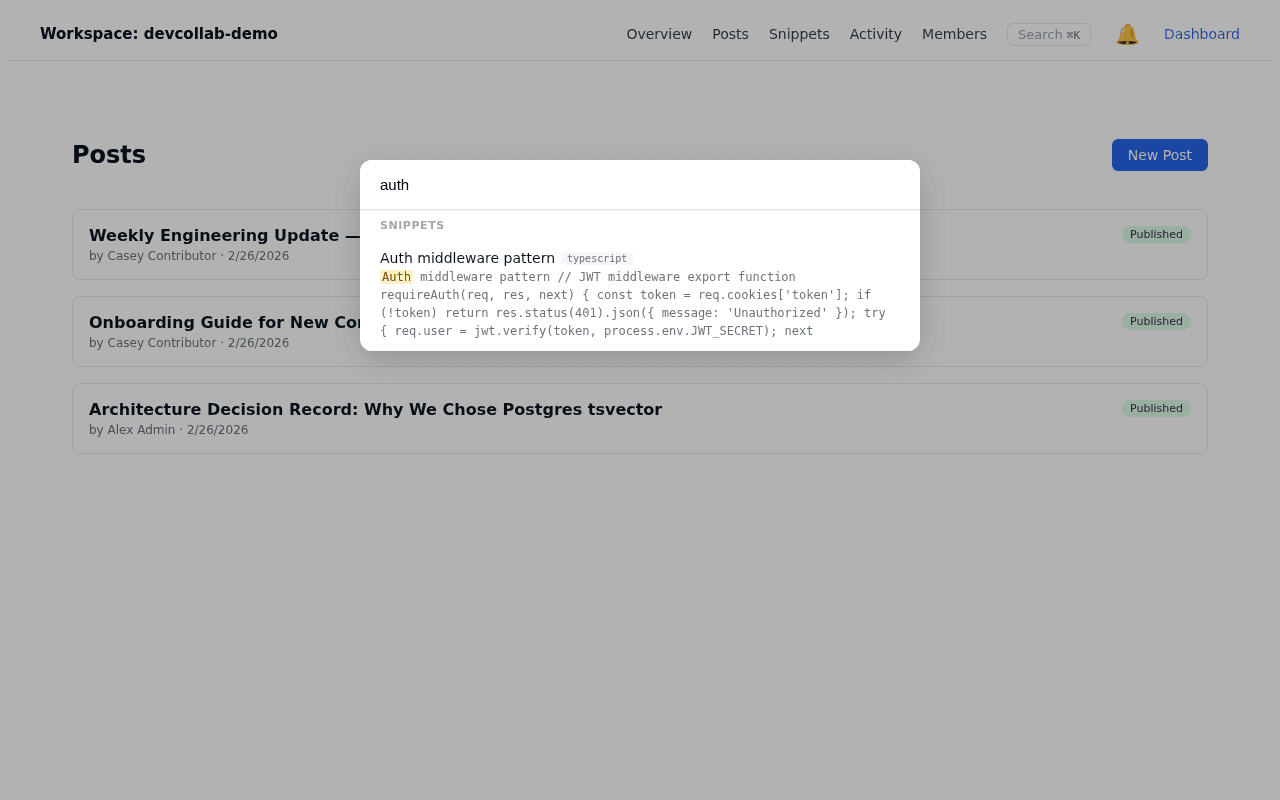
Search ModalA full-screen overlay keeps users in flow while searching across the entire workspace.
Full-Text ResultsResults span messages, code snippets, and workspace names so nothing gets buried.
Cmd+K ShortcutThe keyboard shortcut opens search instantly, keeping hands on the keyboard.
Notification BellThe bell icon in the header provides one-click access to all recent notifications.
Unread BadgeA numeric badge on the bell counts unseen notifications so nothing slips through.
Event FeedThe activity feed lists workspace events in order so teams stay aware of recent changes.
Results
Features Delivered
- JWT auth with separate secret from TeamFlow
- Workspace CRUD + invite-link flow
- Admin / Contributor / Viewer RBAC
- Code snippets (20 languages, Shiki highlighting)
- Markdown posts (react-markdown + Shiki server-side rendering)
- Threaded comments on snippets and posts
- Emoji reactions with race condition guard
- @mention notifications with bell badge
- Activity feed with cursor pagination
- Full-text search with Cmd+K modal
- Deterministic seed data for demo workspace
Technologies
- Next.js 15 App Router + Server Components
- NestJS 11 with CASL RBAC
- TypeScript full-stack
- PostgreSQL 16 + Prisma ORM
- Postgres tsvector full-text search
- react-markdown + remark-gfm
- Shiki syntax highlighting
- Docker + Turborepo monorepo
- @faker-js/faker deterministic seed
Try the Demo
The demo workspace is pre-seeded with realistic content. Log in with any of three role accounts to explore the full feature set:
- Admin:
admin@demo.devcollab/Demo1234! - Contributor:
contributor@demo.devcollab/Demo1234! - Viewer:
viewer@demo.devcollab/Demo1234!